

Team
Yirang Choe, Natalie Yeh, Anavi Kajla
Project Duration
September - December 2018 (3 months)
My Role
Logo Design, Wireframe, Front-end Development (language used: HTML, CSS, Javascript, JQuery, Bootstrap)
Project Type
Class Project
Terp Tutors
What Do You Do When You Face Challenges While Completing Your Course Assignments?
Over the course of my undergraduate days, I observed many students struggling to keep up with assignments due to time constraints and lack of immediate access for help. I was one of them when I was in school. There are countless online tutoring websites out there today but I couldn't find the one that keeps me going back to the website because of their subpar user experience. This is why two of my friends and I set out to build our own tutoring website that delivers a simple yet differentiated user experience at a reasonable price. To test the concept quickly, we started out by limiting our target users just to UMD students and prioritizing use cases. Once key features were defined, we turned the prototypes into the functional web platform under 3 months using agile development methodology.
Our Process


1
Background Research
We conducted background research to understand the current online tutoring market (a sub-market under broader EdTech)
-
Google Sign-in
-
Student/Tutor Profile
-
Create Post
-
Not only for Academic
-
Appointment page
-
Filter information
2
Defining Features
We identified 6 critical features that are essential for a tutoring website to deliver its optimal value to college students
3
Prototyping
Prior to development, we designed 8 initial prototypes that reflects our 6 most critical features

4
Coding
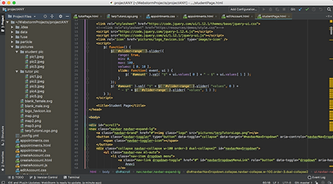
Team divided development responsibilities by key features and collaborated through WebStorm and Github
The Final Working Product


Sign-In Page
All UMD students has their Google account for school email. We leverage Google API for sign-in, eliminating the need for creating a new, separate account


Create Account
After signing in, users have to create their profile that includes basic background information and particular subject(s) that they need most help with


Tutor-Student Matching
-
Students: find and select a tutor of their choice based on availability, gender, subject, and price
-
Prospective student tutors: create a profile post by filling out credentials, desired hourly rate and uploading a photo

Appointment
Users could see their upcoming appointment(s) listed in the order of appointment date. This page provides a one-stop tabular view of all appointments (time, subject, location, and the person's name) with the option to cancel